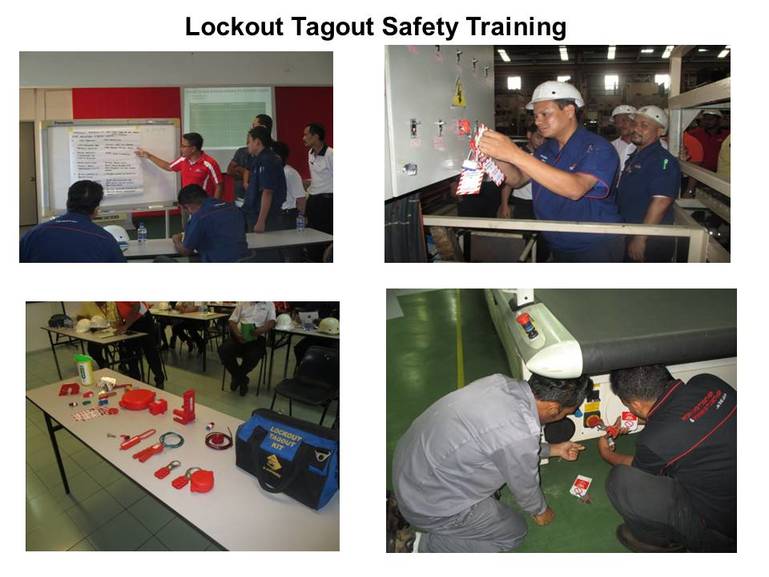
Every year, hundreds of workers suffer serious injuries—or worse—because machines were accidentally energized during maintenance. The solution? A properly executed lock out tag out form. It’s not just paperwork; it’s a lifeline.
The lock out tag out (LOTO) form is the documented backbone of any energy control program. It ensures that machines are de-energized, isolated from hazardous energy sources, and cannot be restarted until maintenance is complete. Without it, even the most experienced technician is at risk.
This article breaks down everything you need to know about the lock out tag out form—its purpose, how to create one, common errors, and real-world applications. If you manage equipment, supervise crews, or handle safety compliance, this is your operational blueprint.
Why a Lock Out Tag Out Form Matters
Imagine a mechanic servicing a conveyor belt. The power is supposedly off. But somewhere, someone flips a switch. The belt jerks to life. The outcome can be catastrophic.
A lock out tag out form prevents this by formalizing the shutdown and isolation process. It’s more than a checklist—it’s legal documentation that verifies each step of energy control was followed.
OSHA estimates that controlling hazardous energy could prevent 120 fatalities and nearly 50,000 injuries annually in the U.S. alone. Most of these incidents occur during servicing or maintenance when workers assume a machine is safe.
The form serves three critical roles: - Accountability: Each worker applies their own lock and tag. - Clarity: Outlines exact energy sources and isolation points. - Compliance: Proves adherence to OSHA 29 CFR 1910.147.
Without a form, there’s no audit trail. If an incident occurs, the absence of documentation can lead to fines, lawsuits, and reputational damage.
What Should a Lock Out Tag Out Form Include?
A well-designed form eliminates guesswork. It should be specific to the equipment and process, not a generic template. Here’s what every effective LOTO form must include:
1. Equipment Identification
- Machine name, model, and location
- Unique ID number (e.g., asset tag)
- Department or zone
2. Authorized Personnel
- Name and role of the person performing maintenance
- Signature field for verification
- Contact information
3. Energy Source Inventory
- Types of energy involved (electrical, hydraulic, pneumatic, chemical, thermal)
- Specific isolation points (e.g., circuit breaker #7, valve A2)
4. Step-by-Step Procedures
- Sequence for shutting down (e.g., “Stop machine via E-stop,” “Close main valve”)
- Isolation actions (e.g., “Lock out main disconnect,” “Bleed hydraulic lines”)
- Verification method (e.g., “Test for zero energy using voltage meter”)
5. Lock and Tag Details
- Number of locks applied
- Tag ID numbers
- Reason for lockout (e.g., “Motor replacement”)
6. Duration and Release Protocol
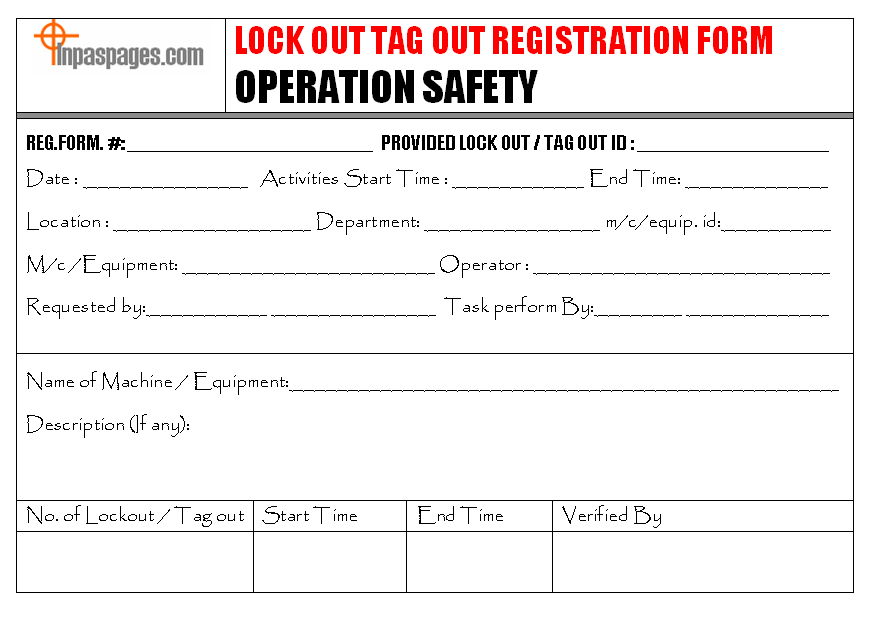
- Start and expected end time
- Clearance process (e.g., “Remove tools, notify all affected employees”)
- Unlock and re-energize authorization
A practical example: In a food processing plant, a technician servicing a mixer must isolate electrical power and lock out the hydraulic feed system. The form lists both energy sources, the exact valves and breakers, and requires a final voltage test before work begins.
Common Mistakes That Undermine LOTO Forms
Even with a form in place, errors can render it useless. These are the most frequent—and preventable—mistakes:
1. Using a Generic Form for Multiple Machines One form does not fit all. A press, a boiler, and a robotic arm have different energy profiles. Customization is non-negotiable.
2. Skipping Verification Steps “Assuming” the machine is de-energized is a death sentence. The form must mandate testing—like using a multimeter or pressure gauge.
3. Allowing Tag Sharing Each worker must apply their own lock. Never allow one person to lock out for a team. If multiple people are working, multiple locks go on the hasp.
4. Poor Visibility or Accessibility The form should be attached to the lockout point or stored in a central digital system. If it’s buried in a folder, it’s not serving its purpose.
5. Failing to Train Affected Employees Workers who don’t perform maintenance but operate nearby equipment must understand the tags. They should never remove a lock or bypass a procedure.
One manufacturing site had a near-miss when a supervisor removed a lock because the technician was on break. The form was present—but training was insufficient. Awareness gaps kill.
Digital vs. Paper Lock Out Tag Out Forms
The debate isn’t about which is better—it’s about what fits your operation.
| Factor | Paper Forms | Digital Forms |
|---|---|---|
| Setup Cost | Low | Moderate to high |
| Real-Time Visibility | No | Yes |
| Audit Trail | Manual | Automatic |
| Error Prevention | Relies on user | Built-in validations |
| Accessibility | On-site only | Cloud-based, mobile |
Paper forms still work well for small operations with stable equipment. They’re simple, require no tech, and are easy to audit during walkthroughs.
But digital LOTO forms are transforming safety in complex environments. With QR codes, mobile apps, and integration into CMMS systems, they provide: - Instant alerts when a lock is applied - GPS verification of technician location - Automated lockout duration tracking - Seamless OSHA reporting
A pharmaceutical plant reduced LOTO compliance time by 40% after switching to a tablet-based system. Technicians scan a machine’s QR code, pull up the form, and complete steps with photo verification.
For companies scaling operations or managing remote sites, digital is the smarter long-term investment.
How to Implement a LOTO Form System
Creating a form isn’t enough. You need a process. Follow this workflow:
- Audit Your Equipment
- Identify every machine with hazardous energy. Document energy types and isolation points.
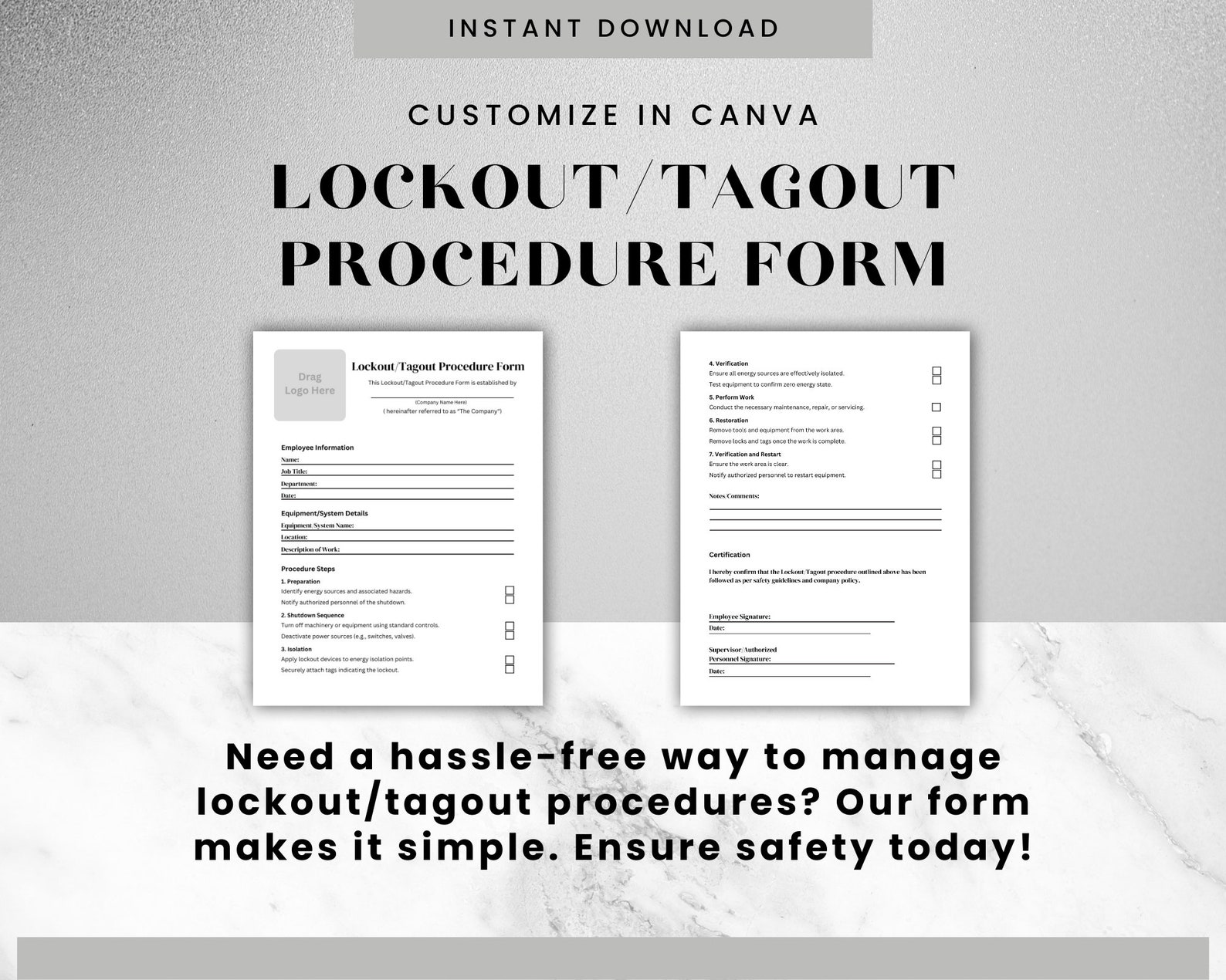
- Develop Machine-Specific Procedures
- Work with engineers and maintenance staff to write exact steps for each asset.
- Design the Form Layout
- Use clear language, checkboxes, and visual cues. Include a section for emergency overrides.
- Train Authorized and Affected Employees
- OSHA requires initial and annual retraining. Simulate scenarios—like failed verification.
- Test and Revise
- Run a trial on one machine. Identify gaps. Update forms accordingly.
- Enforce and Audit
- Monthly audits ensure compliance. Random checks prevent complacency.
One refinery cut maintenance-related incidents by 68% in 18 months by treating the LOTO form as a living document—reviewed and improved quarterly.
Top 5 Digital LOTO Form Platforms For teams ready to digitize, these platforms offer robust form management:
- LockOut TagOut.com (by Brady)
- - Custom form builder with OSHA templates
- - Mobile app with offline mode
- - Integration with asset management systems
- Fiix by Rockwell Automation
- - CMMS with embedded LOTO workflows
- - Real-time lock status tracking
- - Audit-ready reporting
- Procore (Safety Module)
- - Construction and industrial focus
- - Photo documentation and geotagging
- - Centralized compliance dashboard
- EHS Insight
- - Cloud-based safety management
- - Automated reminders for lock duration
- - Incident linkage for root cause analysis
- SiteMax
- - Australian-origin, global use
- - QR-based machine access
- - Multilingual support for diverse teams
Each offers free trials. Start small—pilot one machine before scaling.
Real-World Use Cases
Case 1: Automotive Assembly Line A robot arm required weekly calibration. Previously, technicians used verbal confirmation to clear zones. After switching to a digital LOTO form, the system required: - Scanning the robot’s ID - Confirming lock placement at two power nodes - Uploading a photo of the voltage test
Result: Zero incidents in 14 months.
Case 2: Water Treatment Plant Pumps often had residual pressure after shutdown. A paper form was updated to include: - Mandatory bleed valve open step - Pressure gauge reading field - Supervisor verification line
Within six months, bypass incidents dropped by 75%.
These examples show that the form isn’t just for compliance—it’s a precision tool for risk reduction.
Final Thoughts: Make the Form Work for You
A lock out tag out form is only as strong as the culture behind it. The best-designed form fails if workers view it as a chore. Your goal is integration, not just completion.
Treat it like a safety contract. Review it before every maintenance cycle. Empower workers to stop work if the form is incomplete. Celebrate compliance, not shortcuts.
Whether you use paper or digital, the outcome is the same: protected teams, uninterrupted operations, and confidence in your safety program.
Start today. Pull one machine’s form. Ask: Is this clear? Is it complete? Would it prevent a tragedy? If the answer isn’t yes, revise it now.
Your team’s safety depends on the details.
Frequently Asked Questions
What is the difference between a lockout and a tagout? Lockout uses a physical lock to prevent energizing a machine. Tagout uses a warning tag. Lockout is preferred; tagout is allowed only if it provides equivalent protection.
Who can fill out a lock out tag out form? Only authorized employees—those trained in energy control procedures—can complete and sign the form.
Can a LOTO form be reused? Yes, but only for the same machine and procedure. Each use requires new signatures and lock details.
Do I need a form for every maintenance task? Yes, if the task involves servicing and exposes workers to hazardous energy.
What happens if a lock is left on after shift change? The lock must stay until the original owner removes it. Exception: emergency removal with documented procedures and supervisor approval.
How long should LOTO forms be kept? OSHA doesn’t specify, but retention for at least one year is standard for audits and incident reviews.
Can digital signatures be used on LOTO forms? Yes, if the system ensures authenticity, integrity, and traceability—common in validated digital safety platforms.
FAQ
What should you look for in Lock Out Tag Out Form: The Key to Safer Workplaces? Focus on relevance, practical value, and how well the solution matches real user intent.
Is Lock Out Tag Out Form: The Key to Safer Workplaces suitable for beginners? That depends on the workflow, but a clear step-by-step approach usually makes it easier to start.
How do you compare options around Lock Out Tag Out Form: The Key to Safer Workplaces? Compare features, trust signals, limitations, pricing, and ease of implementation.
What mistakes should you avoid? Avoid generic choices, weak validation, and decisions based only on marketing claims.
What is the next best step? Shortlist the most relevant options, validate them quickly, and refine from real-world results.